MinuteRead
30 min
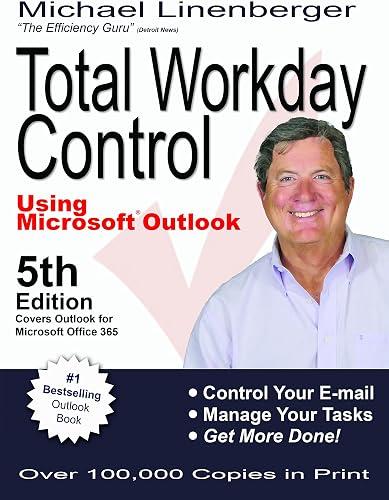
Book summary
by Michael Linenberger
Premium summary · Opens in the app · 30 min read
Every morning, millions of professionals open Microsoft Outlook and feel their stomach tighten. The inbox is overflowing. The task list is a graveyard of half-remembered commitments. Calendar appointments collide with urgent requests. Somewhere beneath all of it, the actual work of the day waits to be done.
**Author:** Michael Linenberger
**Estimated Reading Time:** 45 minutes
**What You'll Learn:**
- How to manage your email and tasks so your workday feels calm and controlled - A simple visual model for deciding what to work on right now - The exact Outlook configuration that makes task management effortless - How to convert a chaotic inbox into an empty, organized command center - A prioritization system that keeps your task list fresh and relevant - Practical techniques for follow-ups, deferrals, and next actions
**Who This Book Is For:**
Professionals who live in Microsoft Outlook and feel overwhelmed by email volume, task lists that never shrink, and the constant pressure of workplace urgency. If you have ever ended a busy day wondering what you actually accomplished, this book will change how you work.
Every morning, millions of professionals open Microsoft Outlook and feel their stomach tighten. The inbox is overflowing. The task list is a graveyard of half-remembered commitments. Calendar appointments collide with urgent requests. Somewhere beneath all of it, the actual work of the day waits to be done. This is not a failure of character or work ethic. It is a failure of system. Michael Linenberger spent years watching talented professionals drown in the very tool that was supposed to help them. As a management consultant at Accenture and later as an independent productivity advisor to companies like eBay and Cisco, he saw the same pattern repeated across industries. People were using Outlook as a passive repository for incoming demands rather than as an active control system for their workday. The problem, Linenberger realized, was not that people lacked discipline. The problem was that nobody had taught them how to configure Outlook to support clear thinking. They were using default settings that buried important tasks beneath hundreds of irrelevant ones. They were treating email as a to-do list, which meant their priorities were being set by whoever happened to send the most recent message. The cost of this chaos is enormous. Important work gets delayed. Commitments slip through the cracks. Stress accumulates. The sense of being perpetually behind becomes the background hum of professional life. Linenberger's insight was that Outlook, properly configured, could become a powerful engine for workplace calm. The key was not to add more features or adopt more complicated systems. The key was to simplify. To strip away everything that did not serve the central question: what should I be working on right now? His approach, which he calls Master Your Now, or MYN, is built on a simple visual model of how work actually arrives. Imagine a conveyor belt carrying tasks toward you. Some tasks are close, urgent, and demand immediate attention. Others are farther…
Continue reading in the MinuteRead app
Get the complete 30-minute summary of Total Workday Control Using Microsoft Outlook
Get the complete summary in the appConfigure your Outlook task view to show only tasks with start dates of today or earlier, grouped by priority.
Convert every actionable email to a task, rewrite the subject to state the action, and move the email out of your inbox.
Use the Now Horizon model to focus on tasks that are actionable within the next ten days.
Apply the FRESH system by sorting tasks by start date within priority groups, allowing newer tasks to rise.
Write every task as a specific, verb-based next action.
Create follow-up tasks with future start dates for every delegated item.
"Total Workday Control Using Microsoft Outlook" is a strong fit if you want practical ideas around business, self help, technology, especially themes like configure your outlook task view to show only tasks with start dates of today or earlier, grouped by priority; convert every actionable email to a task, rewrite the subject to state the action, and move the email out of your inbox. The MinuteRead summary distills these concepts into a focused read, whether you're deciding whether to buy the book or applying its lessons at work.
Motivated to help readers with "Master Your Now—the theory and key components of the system that guide this system and then a brief overview, Michael Linenberger wrote “Total Workday Control Using Microsoft Outlook” to package those ideas for a fast, focused read. In “Total Workday Control Using Microsoft Outlook”, Michael Linenberger focuses on "Master Your Now—the theory and key components of the system that guide this system and then a brief overview. Through “Total Workday Control Using Micr…
Continue Reading
Access the complete 30-minute summary and thousands more nonfiction books in the MinuteRead app.

Continue reading the complete summary in the MinuteRead app.