MinuteRead
30 min
Book summary
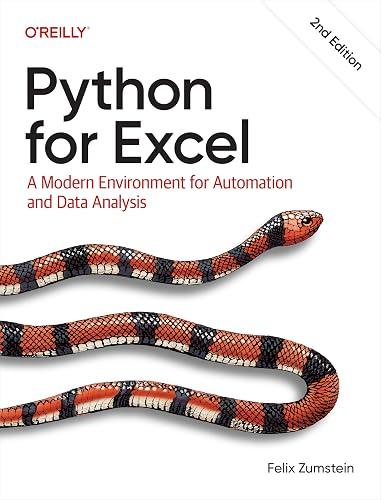
by Felix Zumstein
Premium summary · Opens in the app · 30 min read
Excel is everywhere. It sits on the desktops of financial analysts in New York, supply chain managers in Rotterdam, research scientists in Singapore, and small business owners in Nairobi. It is the default tool for budgeting, forecasting, reporting, data cleaning, and a thousand other tasks that keep the modern economy running. Microsoft estimates that over a billion people use Excel. It is, without question, one of the most successful software applications ever created.
**Author:** Felix Zumstein
**Estimated Reading Time:** 45 minutes
**What You'll Learn:**
- Why Python is the natural next step for serious Excel users - How to manipulate Excel files without opening Excel - How to automate the Excel application itself using xlwings - How to build interactive Excel tools powered by Python - How to connect Excel to databases, web APIs, and external systems - How to apply professional programming practices to your spreadsheet workflows
**Who This Book Is For:**
This book is for Excel users who have pushed the application to its limits. If you have built complex workbooks with nested formulas, struggled with VBA macros, waited minutes for calculations to complete, or wondered if there is a better way to handle large datasets, this book is for you. It is also for developers who want to bring their Python skills into the business world, where Excel remains the universal language of data. No prior Python experience is required, but familiarity with Excel is assumed.
Excel is everywhere. It sits on the desktops of financial analysts in New York, supply chain managers in Rotterdam, research scientists in Singapore, and small business owners in Nairobi. It is the default tool for budgeting, forecasting, reporting, data cleaning, and a thousand other tasks that keep the modern economy running. Microsoft estimates that over a billion people use Excel. It is, without question, one of the most successful software applications ever created. Yet for all its ubiquity, Excel has a problem. The tool that works beautifully for a small dataset and a few formulas begins to groan under the weight of real-world demands. Workbooks crash. Calculations slow to a crawl. VBA macros, the traditional escape hatch for power users, have not meaningfully evolved in decades. The result is a strange situation: some of the most important financial and operational decisions in the world are being made in fragile, error-prone spreadsheets. The consequences are not hypothetical. In 2012, JPMorgan Chase lost over six billion dollars in a trading disaster that became known as the "London Whale" incident. Investigators later found that a spreadsheet error had contributed to the losses. A formula intended to calculate risk was dividing by a sum instead of an average, producing numbers that were roughly half what they should have been. No one caught the error until it was far too late. This is not an isolated case. Researchers who study spreadsheet errors consistently find that the vast majority of complex workbooks contain mistakes. A study by Raymond Panko at the University of Hawaii found that nearly 90 percent of spreadsheets contain errors. These are not trivial mistakes either. They are errors in formulas, errors in data entry, errors in…
Continue reading in the MinuteRead app
Get the complete 30-minute summary of Python for Excel
Get the complete summary in the appExcel and Python are complements, not competitors. Use Excel for presentation and interaction, Python for computation an
Pandas DataFrames are like Excel tables with far more power. Learn to think in vectorized operations, not loops.
xlwings allows Python to control Excel. It turns Excel into a programmable frontend for Python scripts.
Minimize cross-application calls for performance. Write entire ranges at once, not cell by cell.
Python can read and write Excel files without opening Excel. This enables automation on any platform, including servers.
User-Defined Functions bring Python's power to Excel formulas. Users can call Python functions directly from cells.
"Python for Excel" is a strong fit if you want practical ideas around programming, technology, computer science, especially themes like excel and python are complements, not competitors. use excel for presentation and interaction, python for computation an; pandas dataframes are like excel tables with far more power. learn to think in vectorized operations, not loops. The MinuteRead summary distills these concepts into a focused read, whether you're deciding whether to buy the book or applying its lessons at work.
Motivated to help readers with while Excel remains ubiquitous in the business world, Felix Zumstein wrote “Python for Excel” to package those ideas for a fast, focused read. In “Python for Excel”, Felix Zumstein focuses on while Excel remains ubiquitous in the business world. Through “Python for Excel”, Felix Zumstein distills the core ideas on programming into lessons readers can absorb in a single short sitting. Readers turn to this work when they want Felix Zumstein's perspective on the subje…
Continue Reading
Access the complete 30-minute summary and thousands more nonfiction books in the MinuteRead app.

Continue reading the complete summary in the MinuteRead app.