MinuteRead
30 min
Book summary
by Mark Hurst
Premium summary · Opens in the app · 5 min read
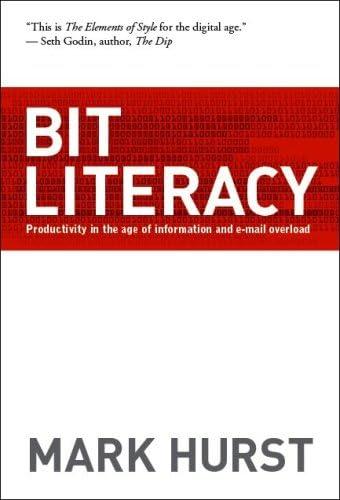
Bit Literacy shows you how to navigate innumerable streams of digital information without becoming paralyzed by managing your media with a few simple systems.
Bit Literacy shows you how to navigate innumerable streams of digital information without becoming paralyzed by managing your media with a few simple systems.
If you’re reading this on your phone, take a second to switch to your home screen and look at your email app icon. Is there a red icon with a number of unread messages on it? How many are there? 3? 15? 134?
When emails pile up, there comes a point where it gets demoralizing to even look at the mountain in front of you, and believe it or not, every single one of them takes up space in your brain, because it keeps records on every single “not done with this yet” item in your life.
If this has happened to you, it’s likely because you’ve treated your inbox like a destination, when it’s really just a processing plant. Obviously, every single email sent to you is meant to make you take action, whether that’s reading something, buying something or doing something. So the only way email can truly work for you is if you direct the incoming streams of different content and distribute them accordingly.
Empty your inbox at least once a day and put all emails where they belong. For example, read personal emails closely, move tasks to your to-do list, mark dates in your calendar, save addresses in your contacts, schedule meetings accordingly and read, skim or delete all “FYI” emails (except the 4MB newsletter, of course! :D).
Note: If you can afford it, you might even want to batch this to weekly email processing, like I do with 4MB reader emails.
For all to-dos that take just two minutes or less, take care of them right away, and put the rest on your list. All emails must go, and every email can go somewhere, so don’t give up until you’ve got a hold of it!
Winning your own battle with information is just one side of the coin, though. If you really want to help solve this problem, you’ll have to help others deal with their information overwhelm too. You can do this by frontloading. Frontloading simply means you communicate in an efficient way with others, by getting straight to the point, backing up the information and then ending. For example, don’t title an email “all you need to know about the Chicago fair,” when you can label it “Chicago fair: agenda, schedule, instructions” instead and save the recipient’s brain precious time and energy. With frontloading, you’ll always try to order the information from most to least important and create as much context as possible for the recipient. That means answering the specific questions of who, when, what, where, why and…
Continue reading in the MinuteRead app
Get the complete 5-minute summary of Bit Literacy
Get the complete summary in the appYour inbox is an intermediary, not a destination. Process all your emails based on content.
Know “why” for every single piece of media you choose to consume.
Help others deal with information overload by frontloading important information in your communication.
"Bit Literacy" is a strong fit if you want practical ideas around culture, happiness, mental health, especially themes like your inbox is an intermediary, not a destination. process all your emails based on content; know “why” for every single piece of media you choose to consume. The MinuteRead summary distills these concepts into a focused read, whether you're deciding whether to buy the book or applying its lessons at work.
Mark Hurst is a psychological and crime thriller author and released his debut novel 'The Lies' in September 2023. His stories are all based in everyday scenarios, fast paced with multiple twists. You can download a free copy of his story 'The Last Woman' at www.woodedhillbooks.com
View all summaries by Mark HurstContinue Reading
Access the complete 5-minute summary and thousands more nonfiction books in the MinuteRead app.

Continue reading the complete summary in the MinuteRead app.