MinuteRead
30 min
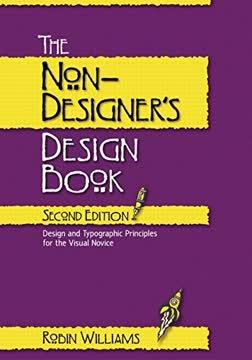
Book summary
Premium summary · Opens in the app · 30 min read
Most people can recognize good design when they see it. A well-designed menu makes ordering feel effortless. A clean website invites exploration. A thoughtfully arranged business card conveys professionalism before a word is read. Yet when those same people sit down to create their own flyer, newsletter, or presentation, something goes wrong. The result looks cluttered, confusing, or simply amateurish, and they cannot explain why.
**Author:** Robin P. Williams **Estimated Reading Time:** 45 minutes
**What You'll Learn:** - The four foundational principles that separate professional design from amateur work - How to organize information so readers understand it instantly - Why typography choices make or break your credibility - How to apply color with confidence and purpose - Practical techniques you can use immediately on any project
**Who This Book Is For:** Anyone who creates documents, presentations, flyers, newsletters, websites, or any visual material without formal design training. If you have ever stared at a page and felt something was wrong but could not identify what, this book gives you the language and tools to fix it.
Most people can recognize good design when they see it. A well-designed menu makes ordering feel effortless. A clean website invites exploration. A thoughtfully arranged business card conveys professionalism before a word is read. Yet when those same people sit down to create their own flyer, newsletter, or presentation, something goes wrong. The result looks cluttered, confusing, or simply amateurish, and they cannot explain why. This is the problem Robin Williams set out to solve. Williams spent years teaching design to people who never planned to become designers. She taught secretaries, small business owners, teachers, volunteers, and community organizers. These were intelligent, capable people who suddenly found themselves responsible for creating brochures, announcements, and reports. They had access to powerful software that could produce professional results, but they lacked the fundamental knowledge to use it effectively. The software was never the problem. The problem was that no one had taught them the underlying principles of visual communication. Williams discovered something important through her teaching. Most people believe design requires artistic talent, an innate eye for aesthetics, or years of training. This belief keeps them stuck. They assume they cannot improve because they were not born with the gift. But Williams found that design is not primarily about artistic ability. It is about understanding a few core principles and applying them deliberately. The book exists because good design matters more than most people realize. When a document looks professional, readers take its content more seriously. When information is organized clearly, people actually read it. When a design guides the eye effectively, the message gets through. Poor design creates friction. It makes readers work harder than they should. It undermines credibility. It buries important information beneath visual noise. The challenge is that most people have never been taught how to see design. They look at a page and sense that something is off, but they cannot identify what. They fiddle with fonts and colors without understanding why certain choices work and others fail. They place elements on a page based…
Continue reading in the MinuteRead app
Get the complete 30-minute summary of The Non-Designer's Design Book
Get the complete summary in the appNothing should be placed on the page arbitrarily. Every element should have a purpose and a visual connection to somethi
Group related items together and separate unrelated items. This is proximity, and it organizes information instantly.
Choose one strong alignment and apply it consistently. Left alignment is often the best choice.
Repeat design elements throughout your piece. Consistency creates unity and professionalism.
If two elements are not the same, make them very different. Strong contrast creates hierarchy and visual interest.
Limit yourself to two or three typefaces per design. Create clear contrast between them.
"The Non-Designer's Design Book" is a strong fit if you want practical ideas around design, reference, art, especially themes like nothing should be placed on the page arbitrarily. every element should have a purpose and a visual connection to somethi; group related items together and separate unrelated items. this is proximity, and it organizes information instantly. The MinuteRead summary distills these concepts into a focused read, whether you're deciding whether to buy the book or applying its lessons at work.
Robin P. Williams is an American author known for her computer-related books, particularly those focused on design and Mac OS. Her most famous works include "The Mac is Not a Typewriter" and "The Non-Designer's Design Book," which have become popular resources for non-designers. Williams has also written numerous manuals for Mac OS and applications. In addition to her technology-focused writing, she has studied William Shakespeare extensively. In 2006, she published "Sweet Swan of Avon: Did a Wo…
View all summaries by Robin P. WilliamsContinue Reading
Access the complete 30-minute summary and thousands more nonfiction books in the MinuteRead app.

Continue reading the complete summary in the MinuteRead app.